Samsung Officially Discontinues Samsung News App Across Galaxy Devices
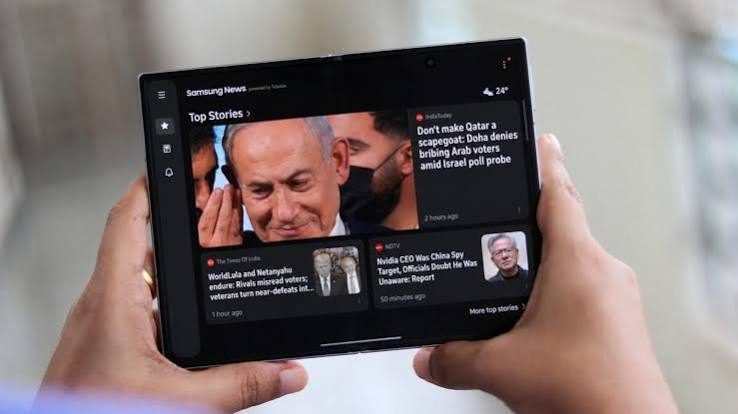
Discontinue Samsung News app on Galaxy phones
Samsung has officially confirmed plans to discontinue Samsung News app operations across its global ecosystem of smartphones and tablets. This strategic announcement reflects Samsung's ongoing initiative to refine its One UI interface, reduce redundant pre-installed software, and consolidate foundational mobile services. For years, the native news platform served as an integrated destination on Galaxy home screens, but changing consumer patterns have accelerated its formal sunset.
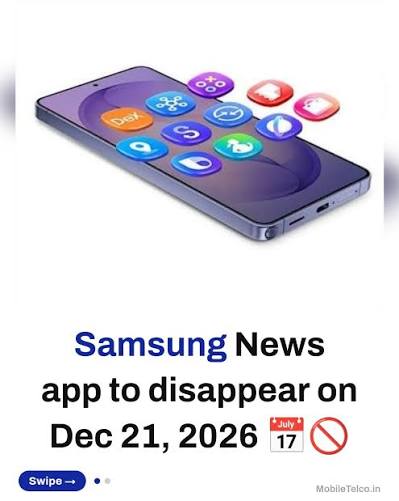
The Evolutionary Journey of Samsung Built-In News Feeds
The deprecation of this aggregator concludes a decade-long software evolution on Galaxy devices. Early iterations emerged alongside flagship launches as Flipboard Briefing, presenting full-screen editorial spreads. It was subsequently redesigned as Bixby Home to combine predictive widgets with trending stories, and later restructured as Samsung Daily.
To revitalize engagement, the platform transformed into Samsung Free, which consolidated articles, instant web games, and live podcasts into a multi-tab experience. The final rebranding as Samsung News aimed to re-establish a dedicated, news-only environment powered by major syndicated journalism outlets. Despite consistent aesthetic improvements, maintaining a standalone proprietary feed struggled to build long-term retention compared to universal platform alternatives.
Strategic Realignment and One UI Optimization
The choice to discontinue Samsung News app services aligns with broader software optimization goals across modern One UI releases. Smartphone users have grown increasingly critical of redundant built-in apps that consume background storage, RAM, and background network bandwidth. By retiring underutilized native software, Samsung improves overall system responsiveness and streamlines system maintenance.
Furthermore, Samsung's deepening integration with Google's core ecosystem has solidified Google Discover as the default content feed for international Android users. Google Discover leverages sophisticated machine learning models to surface pertinent, hyper-personalized updates based on real-time search intent. Consequently, continuing proprietary development and licensing agreements for an overlapping news feed provided diminishing returns for the Korean manufacturer.
Seamless Transition Paths and Alternative News Aggregators
Galaxy smartphone owners can effortlessly adjust their daily information routine by configuring built-in settings or exploring high-quality third-party software:
- Activating Google Discover: Touch and hold an empty space on the home screen, swipe left to access the side-panel settings, and enable Google Discover as your primary feed panel.
- Adopting Standalone News Readers: Modern applications such as Google News, Microsoft Start, or dedicated RSS aggregators like Feedly allow users to curate specific publications and categories without proprietary limitations.
- Direct Publisher Notifications: Installing verified news outlet applications ensures direct, verified alerts for critical global developments with comprehensive multimedia coverage.
This transition marks a practical step forward in decluttering Galaxy devices, ensuring smoother navigation and longer battery life while maintaining reliable access to daily headlines through established global platforms.

Fadi Q
News writer and editor at Madar24, contributing to the preparation and editing of news and articles and the publication of digital content, with a focus on presenting clear, accurate, and up-to-date information to readers.
All articles by this authorRelated articles
Microsoft outage hits cloud systems as recovery begins
Detailed analysis of the Microsoft outage impacting global cloud operations, highlighting the core technical remedies and system recovery steps.
Nvidia Crisis Shakes Wall Street and Corporate Leadership
Intensifying debates over corporate governance and leadership conflicts rattle investor confidence across global semiconductor markets.

Jensen Huang investigation and AI Corporate Governance Crisis
An exhaustive breakdown of the governance hurdles confronting the semiconductor frontier and what internal corporate reviews mean for global markets.